
BOOKING A CLASS IN GYMCATCH
To book a class please follow the steps below:
|
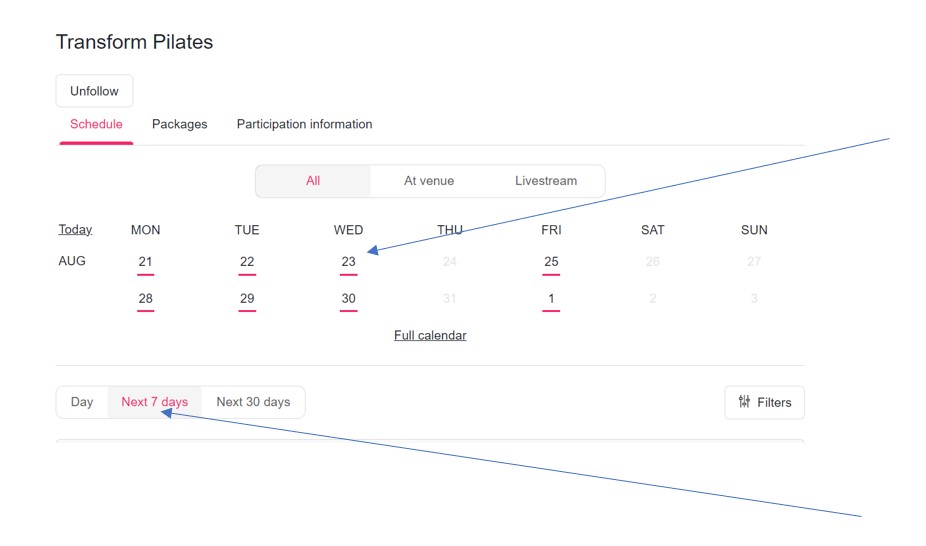
1. Select in individual date from the calendar or a range from the options below |
 |
|
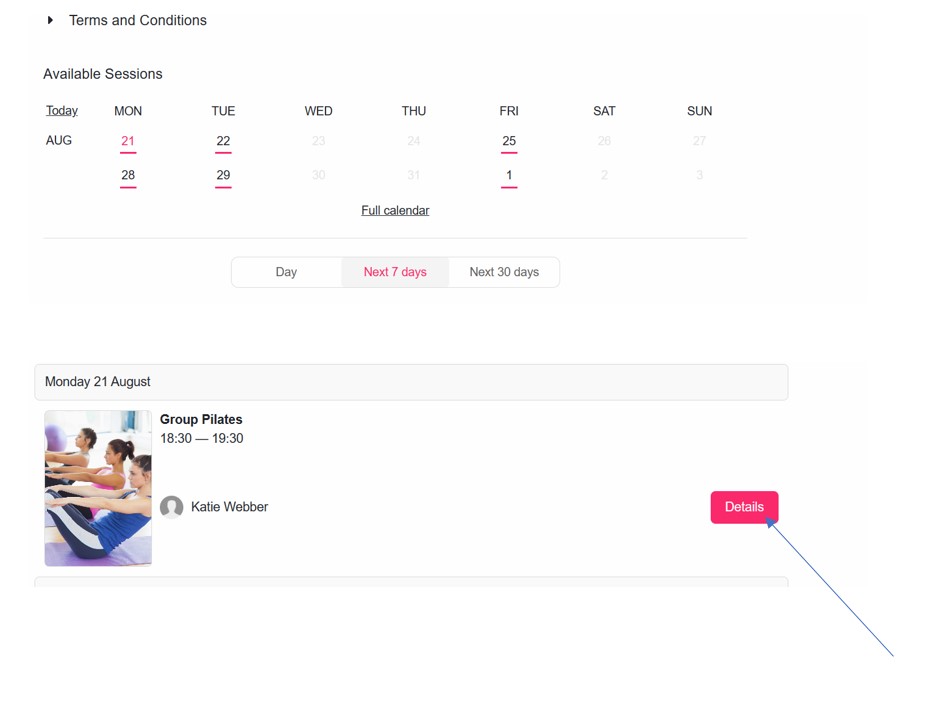
2. For the class you want select the details button |
 |
|
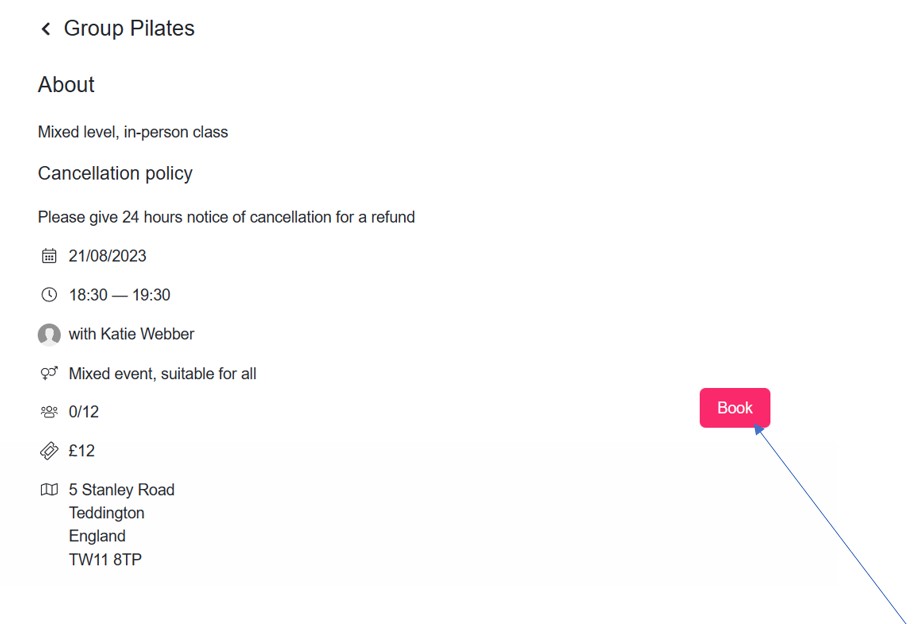
3. Select the book button |
 |
|
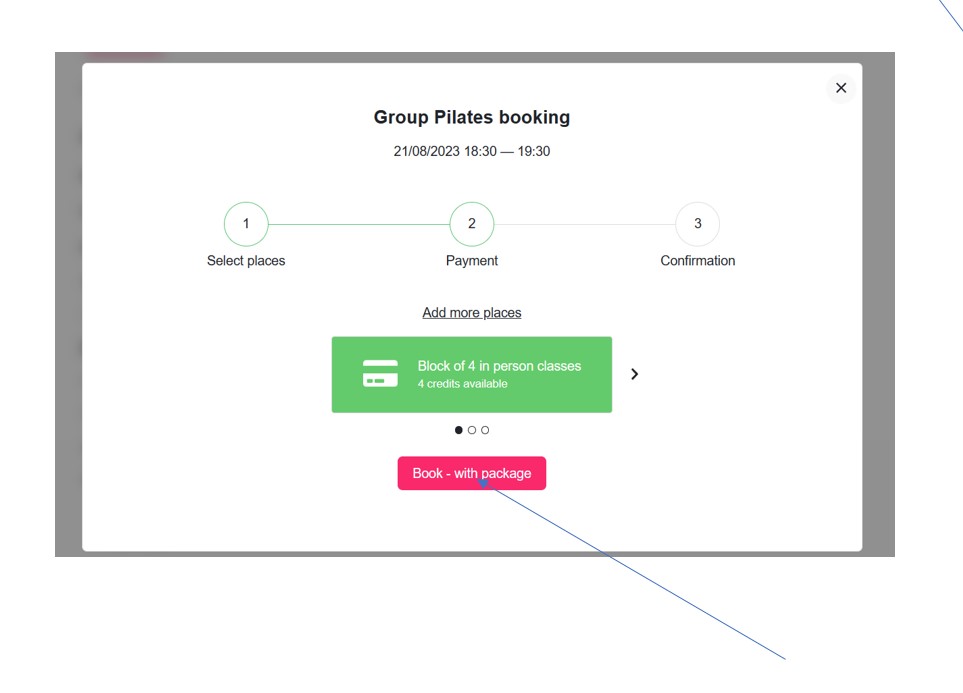
4. For a block of 4 booking select ‘book with package’ or select the right arrow for Pay as You Go (& follow the steps from there). If you do not have a block the Pay as You Go option will appear. |
 |
|
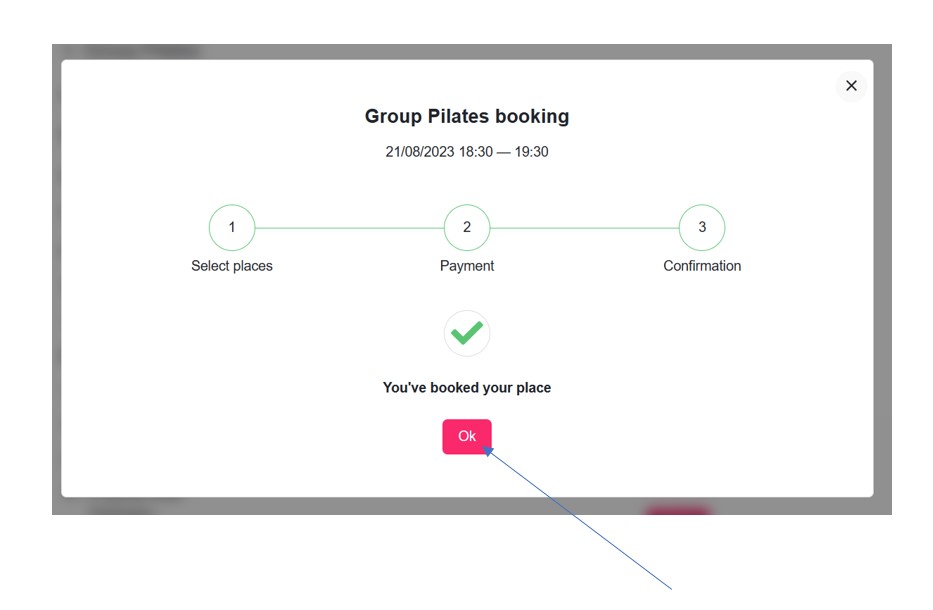
5. Select OK when confirmed. |
 |
|
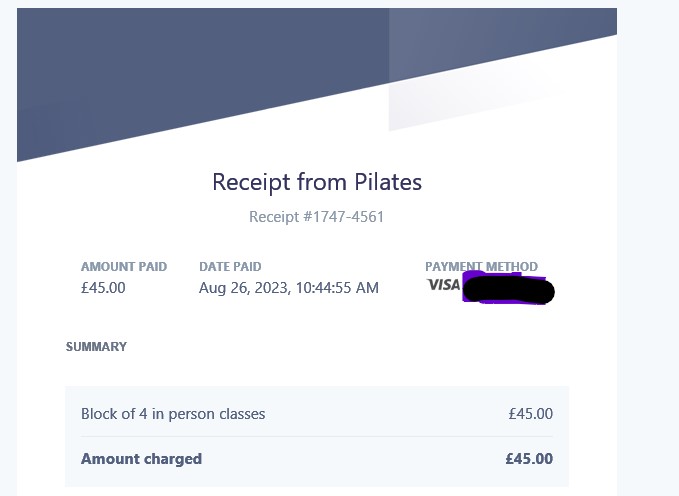
6. You will receive an email receipt from Stripe |
 |
|
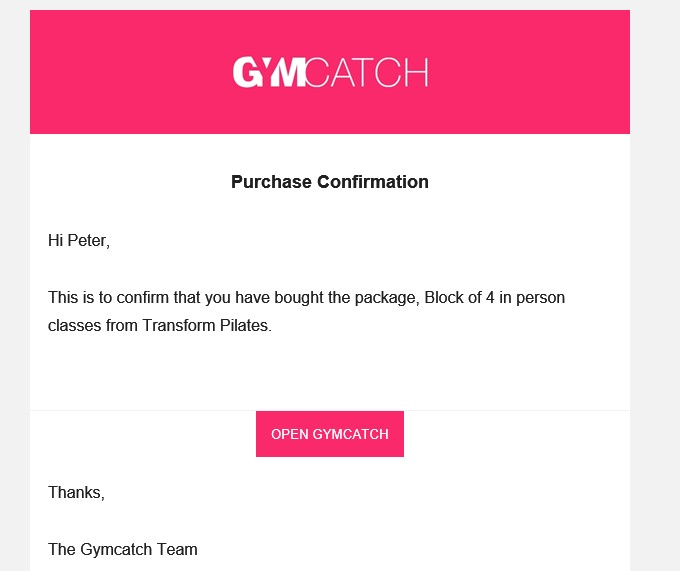
7. You will receive an email confirmation from Gymcatch – – see you at the class! |
 |